| Model Name | Release Year | Tethered Shooting |
Built-in Camera Settings |
Live View | Megapixels | Resolution |
|
||||||||
|---|---|---|---|---|---|---|---|---|---|---|---|---|---|---|---|
Full Frame |
|||||||||||||||
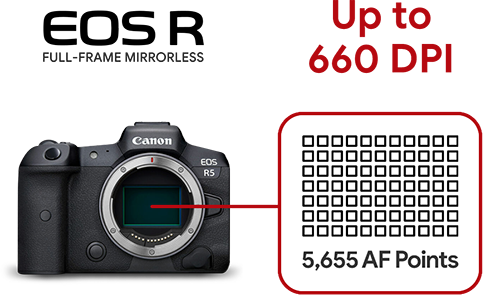
EOS R5 new mirrorless |
2020 |  |
|
|
45 MP | 8192 x 5464 |
661 | 467 | 331 | ||||||
EOS RP new mirrorless |
2019 | |
|
|
26.2 MP | 6240 x 4160 |
503 | 356 | 252 | ||||||
6D Mark II |
2019 | |
|
|
26.2 MP | 6240 x 4160 |
503 | 356 | 252 | ||||||
5D Mark IV |
2016 | |
|
|
30.4 MP | 6720 x 4480 |
542 | 383 | 272 | ||||||
5DS R highest resolution |
2015 | |
|
|
50 MP | 8688 x 5792 |
700 | 495 | 351 | ||||||
5D Mark III |
2012 | |
|
|
22 MP | 5760 x 3860 |
467 | 330 | 234 | ||||||
6D |
2012 | |
|
|
20 MP | 5472 x 3648 |
441 | 312 | 221 | ||||||
5D Mark II |
2008 | |
|
|
21 MP | 5616 x 3744 |
453 | 320 | 227 | ||||||
Crop Frame |
|||||||||||||||
850D (Rebel T8i) new |
2020 | |
|
|
24 MP | 6000 x 4000 |
484 | 342 | 242 | ||||||
90D new |
2019 | |
|
|
32.5 MP | 6960 x 4640 |
561 | 397 | 281 | ||||||
200D Mark II (Rebel SL3) new |
2019 | |
|
|
24 MP | 6000 x 4000 |
484 | 342 | 242 | ||||||
250D new |
2019 | |
|
|
24 MP | 6000 x 4000 |
484 | 342 | 242 | ||||||
1500D (Rebel T7) entry level |
2018 | |
|
|
24 MP | 6000 x 4000 |
484 | 342 | 242 | ||||||
4000D (REBEL T100) |
2018 | |
|
|
18 MP | 5184 x 3456 |
418 | 295 | 209 | ||||||
2000D (REBEL T7, Kiss X90) |
2018 | |
|
|
18 MP | 5184 x 3456 |
418 | 295 | 209 | ||||||
800D (Rebel T7i, Kiss X9i) |
2017 | |
|
|
24 MP | 6000 x 4000 |
484 | 342 | 242 | ||||||
77D / 9000D |
2017 | |
|
|
24 MP | 6000 x 4000 |
484 | 342 | 242 | ||||||
200D |
2017 | |
|
|
24 MP | 6000 x 4000 |
484 | 342 | 242 | ||||||
1DX Mark II |
2016 | |
|
|
16.6 MP | 4992 x 3328 |
402 | 284 | 202 | ||||||
80D |
2016 | |
|
|
24 MP | 6000 x 4000 |
484 | 342 | 242 | ||||||
1300D (REBEL T6, Kiss X80) |
2016 | |
|
|
18 MP | 5184 x 3456 |
418 | 295 | 209 | ||||||
760D (REBEL T6s) |
2015 | |
|
|
24 MP | 6000 x 4000 |
484 | 342 | 242 | ||||||
750D (REBEL T6i, Kiss X8i) |
2015 | |
|
|
24 MP | 6000 x 4000 |
484 | 342 | 242 | ||||||
1200D (REBEL T5, Kiss X70) |
2014 | |
|
|
18 MP | 5184 x 3456 |
418 | 295 | 209 | ||||||
7D Mark II |
2014 | |
|
|
20 MP | 5472 x 3648 |
441 | 312 | 221 | ||||||
700D (REBEL T5i) |
2013 | |
|
|
18 MP | 5184 x 3456 |
418 | 295 | 209 | ||||||
70D |
2013 | |
|
|
20 MP | 5472 x 3648 |
441 | 312 | 221 | ||||||
100D (REBEL SL1, Kiss X7) |
2013 | |
|
|
18 MP | 5184 x 3456 |
418 | 295 | 209 | ||||||
1DC |
2013 | |
|
|
18 MP | 5184 x 3456 |
418 | 295 | 209 | ||||||
1DX |
2012 | |
|
|
18 MP | 5184 x 3456 |
418 | 295 | 209 | ||||||
650D (REBEL T4i, Kiss X6i) |
2012 | |
|
|
18 MP | 5184 x 3456 |
418 | 295 | 209 | ||||||
600D (REBEL T3i, Kiss X5) |
2011 | |
|
|
18 MP | 5184 x 3456 |
418 | 295 | 209 | ||||||
1100D |
2011 | |
|
|
12 MP | 4272 x 2848 |
344 | 243 | 173 | ||||||
60D |
2010 | |
|
|
18 MP | 5184 x 3456 |
418 | 295 | 209 | ||||||
550D (REBEL T2i, Kiss X4) |
2010 | |
|
|
18 MP | 5184 x 3456 |
418 | 295 | 209 | ||||||
1D Mark IV |
2009 | |
|
|
16.1 MP | 4896 x 3264 |
395 | 279 | 198 | ||||||
7D |
2009 | |
|
|
18 MP | 5184 x 3456 |
418 | 295 | 209 | ||||||
500D (REBEL T1i, Kiss X3) |
2009 | |
|
|
15 MP | 4752 x 3168 |
383 | 271 | 192 | ||||||
50D |
2008 | |
|
|
15 MP | 4752 x 3168 |
383 | 271 | 192 | ||||||
450D (REBEL Xsi, Kiss X2) |
2008 | |
|
|
12 MP | 4272 x 2848 |
344 | 243 | 173 | ||||||
1000D (Rebel XS, Kiss F) |
2008 | |
|
|
10.1 MP | 3888 x 2592 |
313 | 222 | 157 | ||||||
1D Mark III |
2007 | |
|
|
20.1 MP | 5472 x 3648 |
441 | 312 | 221 | ||||||
1Ds Mark III |
2007 | |
|
|
21 MP | 5616 x 3744 |
453 | 320 | 227 | ||||||
40D |
2007 | |
|
|
10.1 MP | 3888 x 2592 |
313 | 222 | 157 | ||||||
1D Mark II |
2004 | |
|
|
16.6 MP | 4992 x 3328 |
402 | 284 | 202 | ||||||
1Ds Mark II |
2004 | |
|
|
16.6 MP | 4992 x 3328 |
402 | 284 | 202 | ||||||
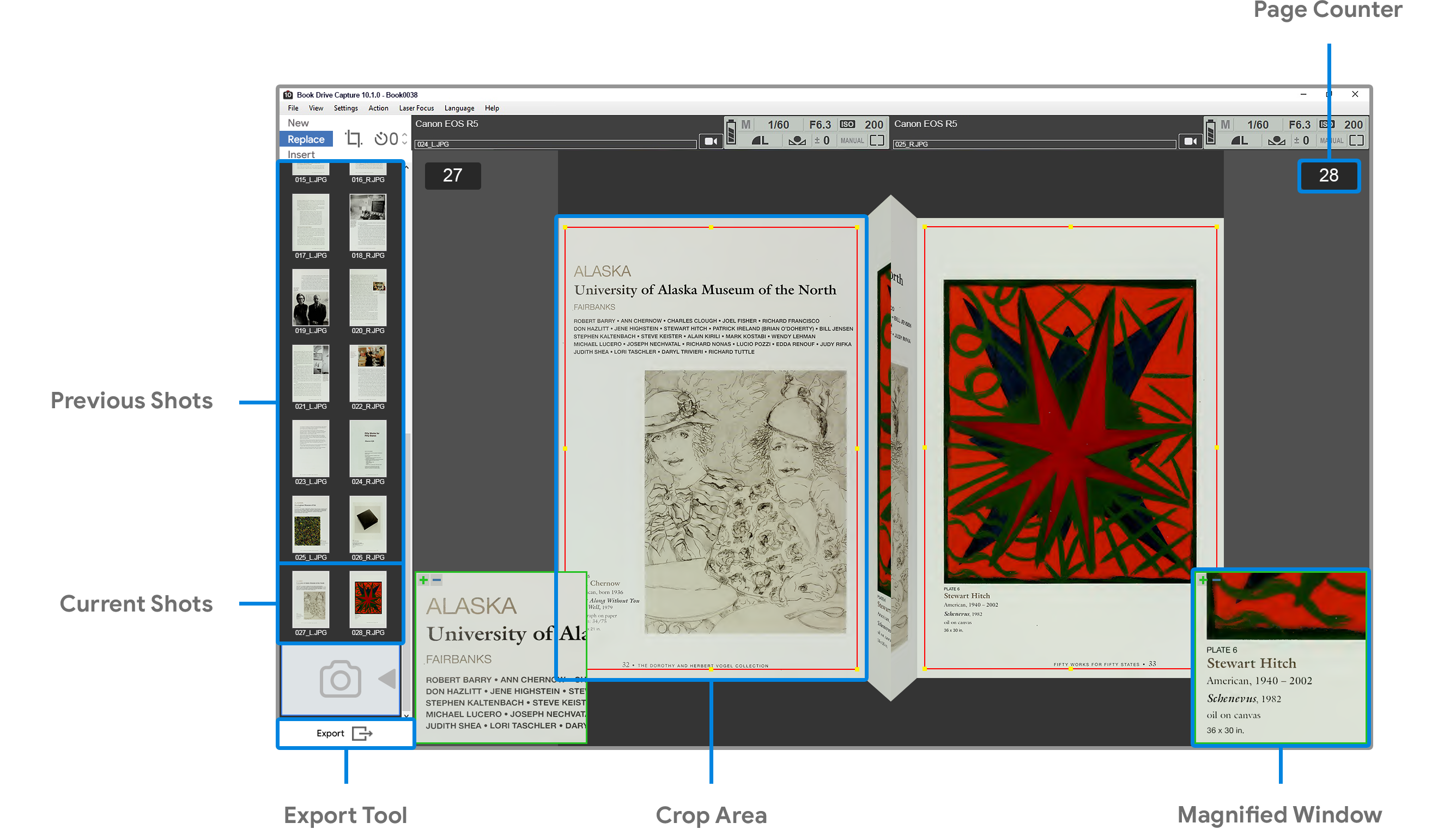
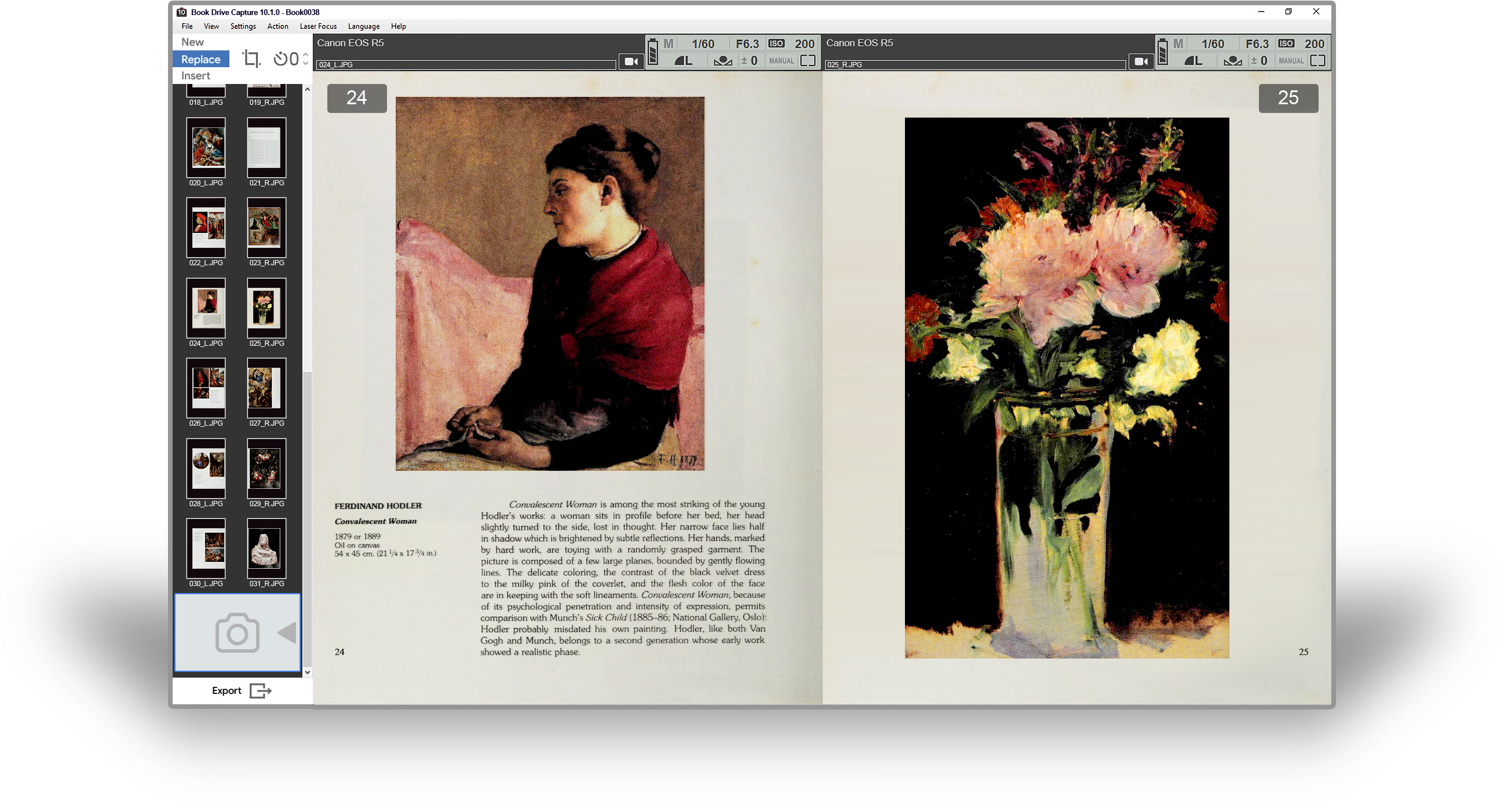
BookDrive Capture

New Features
Supports new Full-frame
Mirrorless from Canon
New Models Supported
Full-frame Mirrorless
EOS R5, EOS RP
Crop-frame DSLR
EOS 850D (Rebel T8i)
EOS 90D
EOS 200D Mark II (Rebel SL3)